Choose Machato if you want a clean, minimal ChatGPT client with granular API control, excellent code rendering, and a "pay what you want" pricing model starting at just $3.
Choose Elephas if you need AI that understands YOUR documents, integrates with Notion/Obsidian, provides source citations, and offers system-wide writing assistance across all Mac apps.
Machato vs Elephas is a comparison of two very different philosophies. Machato is a focused, lightweight ChatGPT client—it does one thing extremely well. Elephas is a comprehensive personal AI assistant that builds a knowledge base from your documents.
Think of it this way: Machato is like buying a quality terminal emulator for SSH. Elephas is like buying an entire productivity suite. Both are excellent—but they serve different needs and different users.
What is Machato?
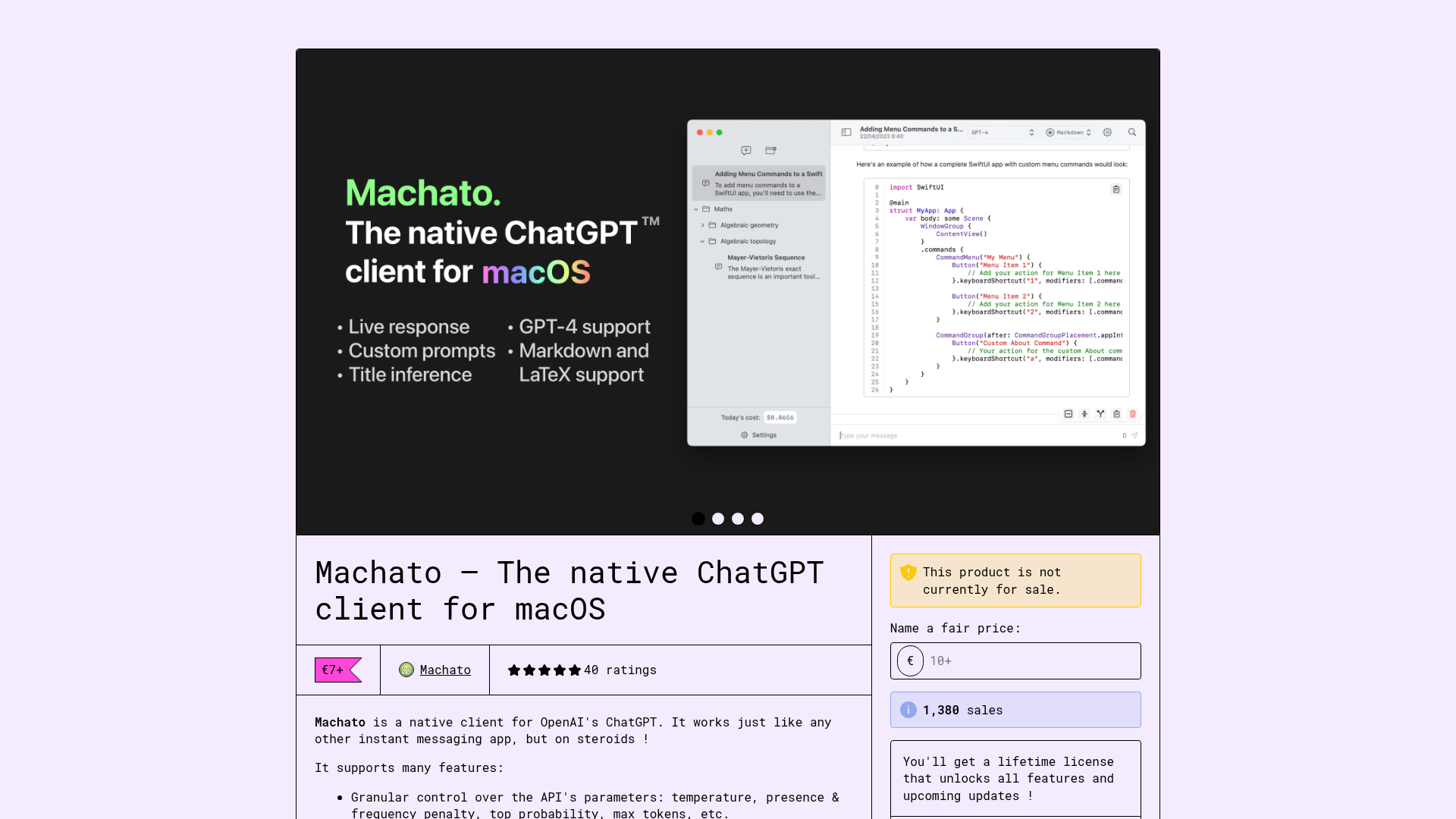
Machato is a native ChatGPT client for macOS, built entirely in Swift/SwiftUI. It's designed for users who want direct access to OpenAI's API with a clean, IM-like interface and granular control over API parameters.
Key characteristics:
Pure Swift/SwiftUI native Mac app
Works with any OpenAI model (GPT-4, GPT-3.5, etc.)
Granular API control: temperature, penalties, max tokens
Code syntax highlighting and LaTeX rendering
GitHub-flavored markdown support
Token usage tracking and cost statistics
Prompt library for system personalities
"Pay what you want" from $3 lifetime
What is Elephas?
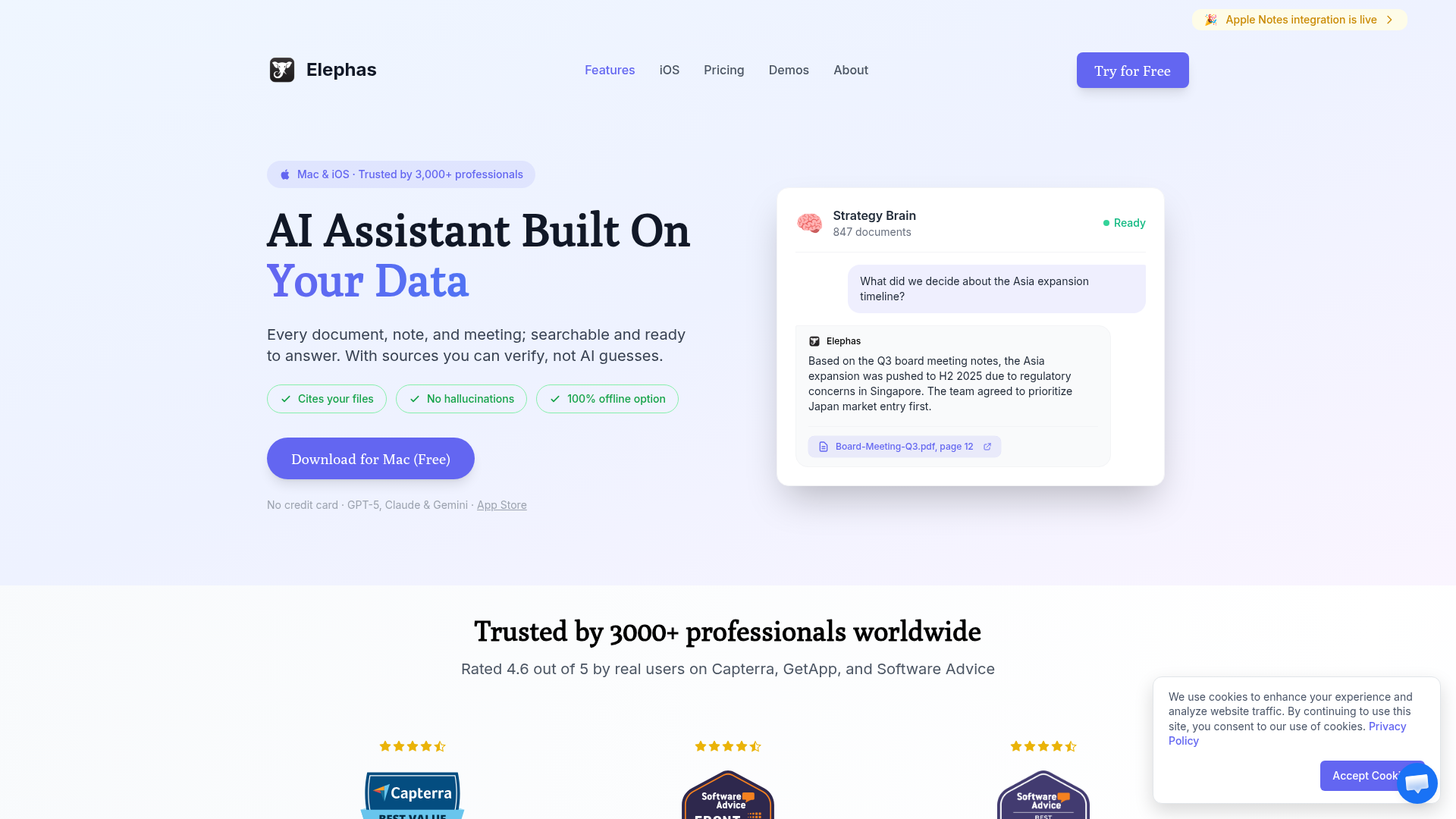
Elephas is an AI-powered personal knowledge assistant for Apple devices. Rather than just providing API access, it creates a "Super Brain" from your documents—PDFs, notes, web pages—that you can query from anywhere on your Mac.
Key characteristics:
Native Mac app with system-wide ⌘+Space access
"Super Brain" personal knowledge base
Native integrations with Notion, Obsidian, Apple Notes
Answers cite YOUR source documents
Multiple AI models (GPT-5, Claude, Gemini, Ollama)
AI writing assistance in any text field
Privacy-first with local model support
Available on iPhone and iPad too
Feature Comparison
Feature
Machato
Elephas
Platform
Mac only (13.0+)
Mac, iPhone, iPad
Personal Knowledge Base
✗
✓ Super Brain
API Parameter Control
✓ Full control
Limited
Code Syntax Highlighting
✓ Excellent
✓ Good
LaTeX Rendering
✓
✗
App Integrations
✗
Notion, Obsidian, Notes
System-Wide Access
✗
✓ ⌘+Space
Local AI Models
Coming soon
✓ Ollama
Token Usage Tracking
✓ Detailed
Basic
The Developer's Choice (Machato)
Machato is built by developers, for developers. The granular API control (temperature, presence penalty, frequency penalty, top_p, max tokens) is a power feature that Elephas doesn't match. If you're fine-tuning prompts for specific use cases, this control matters.
The code rendering is also exceptional—syntax highlighting, LaTeX for math, and full GitHub-flavored markdown. For technical users who live in code, Machato feels right.
The Knowledge Worker's Choice (Elephas)
Elephas shines when you need AI that knows YOUR context. Machato connects to ChatGPT—Elephas connects to your documents, notes, and knowledge. When you ask "What were the quarterly targets we set?", Machato can't help. Elephas can answer with citations from your notes.
The system-wide access (⌘+Space from any app) is also transformative. Machato requires switching to its window. Elephas is always one shortcut away, wherever you're working.
Pricing Comparison
Machato
$3+ lifetime
✓ Pay what you want
✓ Try free first
✓ Lifetime license
→ + OpenAI API costs
Elephas
$9.99/month
✓ All features included
✓ Unlimited queries
✓ iPhone + iPad apps
→ $99 lifetime option
Value Analysis
Machato wins on raw price—you can't beat "pay what you want starting at $3." For budget-conscious users who just need ChatGPT access on Mac, it's an incredible deal. Remember though: you still pay OpenAI for API usage.
Elephas provides more value per dollar for users who need its features. The $99 lifetime includes the full knowledge base system, app integrations, system-wide access, and mobile apps. If you need any of those features, Machato can't match it at any price.
The real comparison: $3 for ChatGPT-in-a-window vs $99 for a complete personal AI system. Different products, different value propositions.
Who Should Use Each Tool?
Choose Machato If You...
Just want clean ChatGPT access on Mac
Need granular API parameter control
Work primarily with code and need great syntax highlighting
Use LaTeX for mathematical content
Want to track token usage and costs precisely
Prefer minimal, focused apps over feature-rich ones
Have an extremely tight budget
Choose Elephas If You...
Want AI that understands YOUR documents and notes
Need writing assistance across all Mac apps
Use Notion, Obsidian, or Apple Notes
Want answers with citations from your sources
Need AI on iPhone and iPad too
Value privacy with local AI model options
Want system-wide access with one shortcut
🧠 Before You Decide: Consider This Complement
While Machato optimize how you launch apps, there's a gap neither fills: managing the knowledge you accumulate across all your tools.
Elephas takes a different approach — instead of launching apps, it creates an AI-powered "Super Brain" from your documents. Every answer cites YOUR files, not internet guesses. It's the perfect complement to whichever launcher you choose.
⚡
System-Wide Access
⌘+Space from any app to query your knowledge base.
📎
Cites Your Sources
Every answer links to the actual document. No hallucinations.
🔗
Syncs Your Apps
Connects to Notion, Obsidian, Apple Notes automatically.
Best for:Knowledge workers managing multiple projectsUsers who want AI that knows their context
Best for technical users who want a clean ChatGPT client. API control, code rendering, LaTeX, and unbeatable pricing.
WINNER FOR KNOWLEDGE WORKERS
Elephas
Best for users who need personal AI. Knowledge base, app integrations, system-wide access, and mobile support.
Machato is perfect for developers and technical users who want a clean, focused ChatGPT client. The API control, code rendering, and "pay what you want" pricing make it an excellent choice for its specific use case.
Elephas is the right choice for knowledge workers, writers, and professionals who need AI that understands their personal context. The Super Brain, app integrations, and system-wide access create a fundamentally different (and more powerful) experience.
Our recommendation: If you just want ChatGPT on your Mac and you're technical, Machato is a great $3 investment. If you want AI that actually knows YOUR stuff and helps you work across your Mac, invest in Elephas—the $99 lifetime will pay for itself quickly.
Frequently Asked Questions
Is Machato better than Elephas?
Machato is better for developers who want a lightweight ChatGPT client with granular API control and code rendering. Elephas is better for knowledge workers who need AI grounded in their personal documents with app integrations.
How much does Machato cost?
Machato uses a "pay what you want" model starting from just $3 for a lifetime license. You can even try it free. Elephas costs $9.99/month or $99 for lifetime access.
Can Machato work with my personal documents?
No, Machato is a pure ChatGPT client focused on API access. It doesn't have personal knowledge base features like Elephas's Super Brain, which indexes your documents for AI-powered search.
Does Machato support local AI models?
Machato is working on local LLM support as a future feature. Currently it only works with OpenAI API. Elephas already supports Ollama for fully offline AI use.
Which has better code support?
Machato has superior code support with excellent syntax highlighting, LaTeX rendering, and GitHub-flavored markdown. It's specifically designed for technical users working with code.