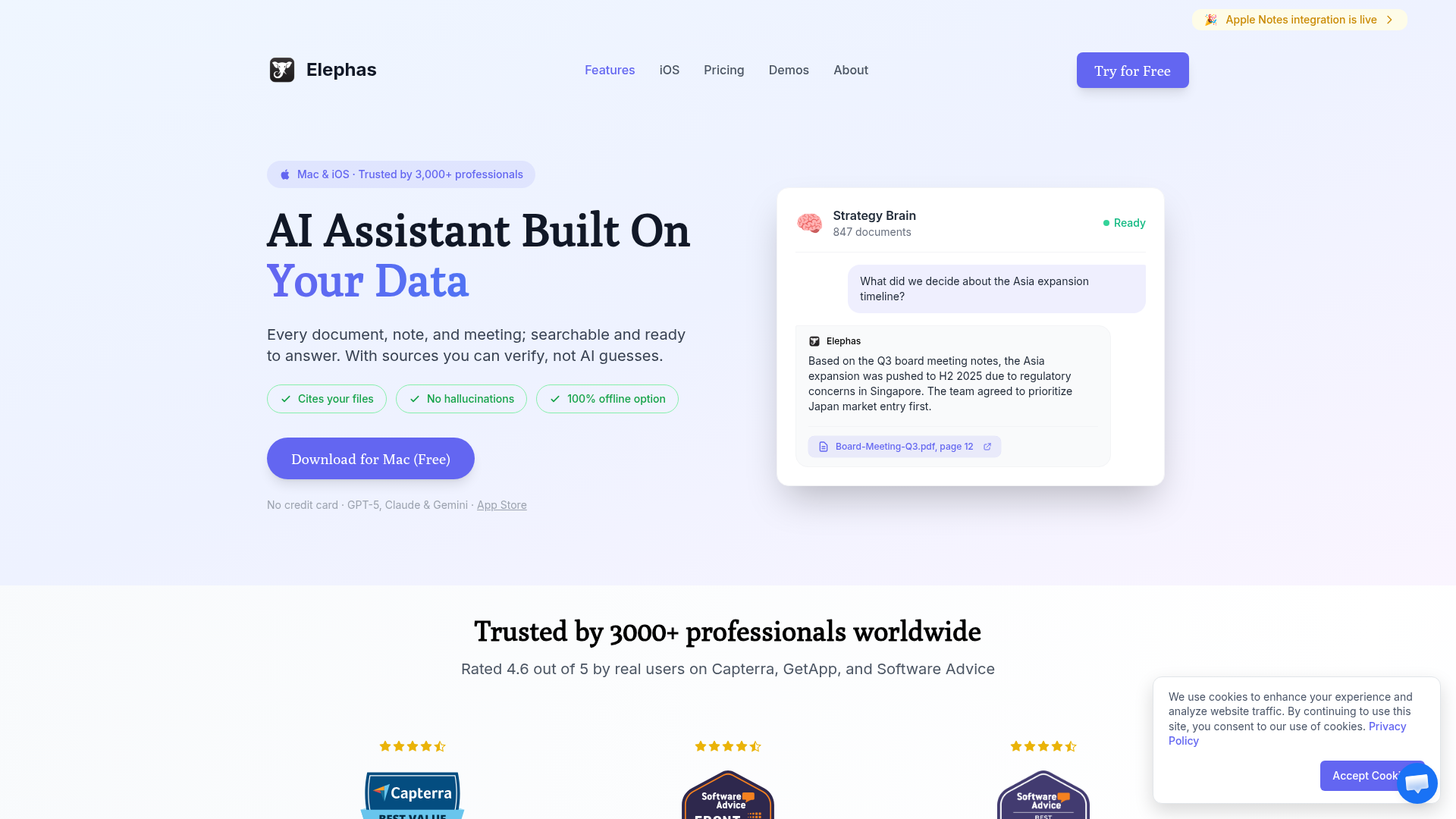
Choose Elephas if you want AI that understands YOUR documents, works system-wide on Mac with a keyboard shortcut, and provides answers with citations from your personal knowledge base.
Choose ChatGPT if you need a general-purpose AI assistant with web automation, deep research capabilities, and cross-platform access across all your devices.
Elephas vs ChatGPT represents a fundamental choice in how you want AI to assist you. ChatGPT, the tool that launched the AI revolution, excels at general knowledge and creative tasks. Elephas takes a different approach—it's designed to be your personal AI that truly understands YOUR context by learning from your documents.
In 2026, ChatGPT has evolved with new tiers (Go at $8/mo, Plus at $20/mo, Pro at $200/mo), web automation features, and deep integrations. Meanwhile, Elephas has doubled down on what makes it unique: Mac-native system-wide access and a "Super Brain" built from your personal files.
What is Elephas?
Elephas is an AI-powered personal knowledge assistant designed exclusively for Apple devices. Unlike generic AI tools, Elephas transforms YOUR documents into a searchable, intelligent "Second Brain" that provides answers grounded in your actual files—not internet hallucinations.
Key characteristics:
Native Mac app with system-wide ⌘+Space access
"Super Brain" knowledge base from your documents
Integrates with Notion, Obsidian, Apple Notes, web pages
Answers include citations to your source documents
Supports multiple AI models (GPT-5, Claude, Gemini, local via Ollama)
Privacy-first with local processing options
What is ChatGPT?
ChatGPT by OpenAI is the world's most popular AI assistant. The Mac desktop app (Option+Space shortcut) provides quick access, and the 2026 updates have added powerful automation features, scheduled tasks, and integrations with Gmail, Slack, Notion, and GitHub.
Key characteristics:
Mac app with Option+Space shortcut (macOS 14+, Apple Silicon)
Powered by GPT-5.2 (latest OpenAI model)
Web automation—ChatGPT can browse sites and fill forms
Deep research that scours the web and summarizes findings
Scheduled tasks and workflow automation
Integrations with Gmail, Slack, Notion, GitHub, Linear, and 20+ services
Feature Comparison
Feature
Elephas
ChatGPT
Platform
Mac, iPhone, iPad
Mac, Windows, Web, iOS, Android
Personal Document AI
✓ Super Brain
Limited (Projects)
System-Wide Shortcut
✓ ⌘+Space
✓ Option+Space
App Integrations
Notion, Obsidian, Apple Notes
Gmail, Slack, GitHub, 20+
Web Automation
✗
✓ Browse & fill forms
Offline/Local Models
✓ Ollama
✗
Source Citations
✓ From your docs
Web sources only
Scheduled Tasks
✗
✓ (Plus/Pro)
Free Tier
Limited trial
✓ (with ads coming)
The Personal Knowledge Advantage
The fundamental difference: ChatGPT answers from its training data and the web. Elephas answers from YOUR documents. When you ask "What did we decide in last month's board meeting?", ChatGPT can't help. Elephas, with your meeting notes in its Super Brain, can give you the exact answer with citations.
This isn't a limitation of ChatGPT—it's a design choice. ChatGPT is built to be a general-purpose assistant. Elephas is built to be YOUR personal AI that knows YOUR context.
Integration Philosophies
ChatGPT's 2026 integrations focus on actions: send emails via Gmail, create GitHub issues, post to Slack. It's about automation and taking action on your behalf.
Elephas's integrations focus on knowledge: sync your Notion pages, index your Obsidian vault, learn from your Apple Notes. It's about building a comprehensive picture of what YOU know.
Pricing Comparison
Elephas
$9.99/month
✓ All features included
✓ Unlimited queries
✓ Multiple AI models
→ $99 lifetime option available
ChatGPT
$20/month (Plus)
→ Free tier (ads coming)
→ Go: $8/mo (ad-supported)
✓ Plus: $20/mo (ad-free)
→ Pro: $200/mo (unlimited)
Value Analysis
Elephas's $99 lifetime deal is exceptional value for Mac users who want personal knowledge AI. You pay once and own it forever—no recurring costs, no subscription fatigue.
ChatGPT's tiered pricing makes sense for different users: Free/Go for casual use, Plus for power users who want ad-free and automation, Pro for heavy users who need unlimited everything. But at $240/year for Plus (vs $99 lifetime for Elephas), the costs add up.
The key question: Do you need general AI assistance (ChatGPT) or personal knowledge AI (Elephas)? Many users find value in both.
Who Should Use Each Tool?
Choose Elephas If You...
Have documents, notes, and files you want AI to understand
Use a Mac as your primary computer
Want answers that cite YOUR actual sources
Use Notion, Obsidian, or Apple Notes heavily
Value privacy and want local AI model options
Prefer one-time purchase over subscriptions
Need AI assistance while writing in any Mac app
Choose ChatGPT If You...
Need general knowledge and creative assistance
Want web automation (browsing, form filling)
Need scheduled tasks and workflow automation
Use multiple platforms (Windows, Android, etc.)
Want integrations with Gmail, Slack, GitHub
Need deep web research capabilities
The free tier meets your needs
🧠 Before You Decide: Consider This Complement
While ChatGPT optimize how you launch apps, there's a gap neither fills: managing the knowledge you accumulate across all your tools.
Elephas takes a different approach — instead of launching apps, it creates an AI-powered "Super Brain" from your documents. Every answer cites YOUR files, not internet guesses. It's the perfect complement to whichever launcher you choose.
⚡
System-Wide Access
⌘+Space from any app to query your knowledge base.
📎
Cites Your Sources
Every answer links to the actual document. No hallucinations.
🔗
Syncs Your Apps
Connects to Notion, Obsidian, Apple Notes automatically.
Best for:Knowledge workers managing multiple projectsUsers who want AI that knows their context
Best for Mac users who want AI grounded in their own documents. System-wide access, source citations, and privacy-first design.
WINNER FOR GENERAL AI
ChatGPT
Best for general assistance, web automation, and cross-platform use. The most capable general-purpose AI assistant available.
Elephas and ChatGPT aren't really competitors—they're complementary tools for different purposes.
If you're a knowledge worker, researcher, or professional with documents you reference frequently, Elephas transforms how you access that information. The Super Brain feature means your AI actually knows what YOU know.
If you need general AI assistance—writing help, creative brainstorming, web research, or automation—ChatGPT remains the gold standard. Its 2026 features around web automation and integrations make it a powerful productivity tool.
Our recommendation: If you're a Mac user with important personal documents, start with Elephas (the $99 lifetime deal is hard to beat). Add ChatGPT Plus if you need its general assistance and automation features. Using both gives you the best of both worlds.
Frequently Asked Questions
Is Elephas better than ChatGPT for Mac users?
For Mac users who want AI grounded in their personal documents with system-wide access, Elephas is the better choice. ChatGPT excels at general knowledge tasks and web automation but cannot learn from your personal files the way Elephas can.
Can ChatGPT access my personal documents like Elephas?
ChatGPT Projects allows uploading files, but it lacks Elephas's deep integrations with Notion, Obsidian, and Apple Notes. Elephas creates a persistent "Super Brain" from your documents, while ChatGPT treats uploads as temporary context.
Which is more private, Elephas or ChatGPT?
Elephas is more private. It supports local AI models via Ollama for completely offline use, and your data stays on your device. ChatGPT requires sending data to OpenAI servers, though they have improved privacy policies.
Is Elephas worth it if I already have ChatGPT Plus?
Yes, if you want AI that truly understands YOUR context. Elephas and ChatGPT serve different purposes—ChatGPT for general assistance and Elephas for personal knowledge management. Many users find value in using both.
Does ChatGPT have a lifetime purchase option like Elephas?
No. ChatGPT only offers subscription plans (Free, Go at $8/mo, Plus at $20/mo, Pro at $200/mo). Elephas's $99 lifetime option provides significant long-term savings for Mac users.