Choose Elephas if you want a native Mac app with system-wide AI access, writing assistance, and integrations with your favorite apps like Notion and Obsidian.
Choose NotebookLM if you need deep research capabilities, love the Audio Overview podcast feature, or want a free tool for document analysis.
The AI knowledge management space has exploded in 2024-2026, with tools competing to become your "second brain." Two standout options—Elephas and NotebookLM—take fundamentally different approaches to helping you leverage AI with your personal documents.
Elephas is a native Mac app that brings AI assistance system-wide, letting you query your knowledge base from any application. NotebookLM is Google's web-based research assistant that excels at deep document analysis and its unique Audio Overview feature.
What is Elephas?
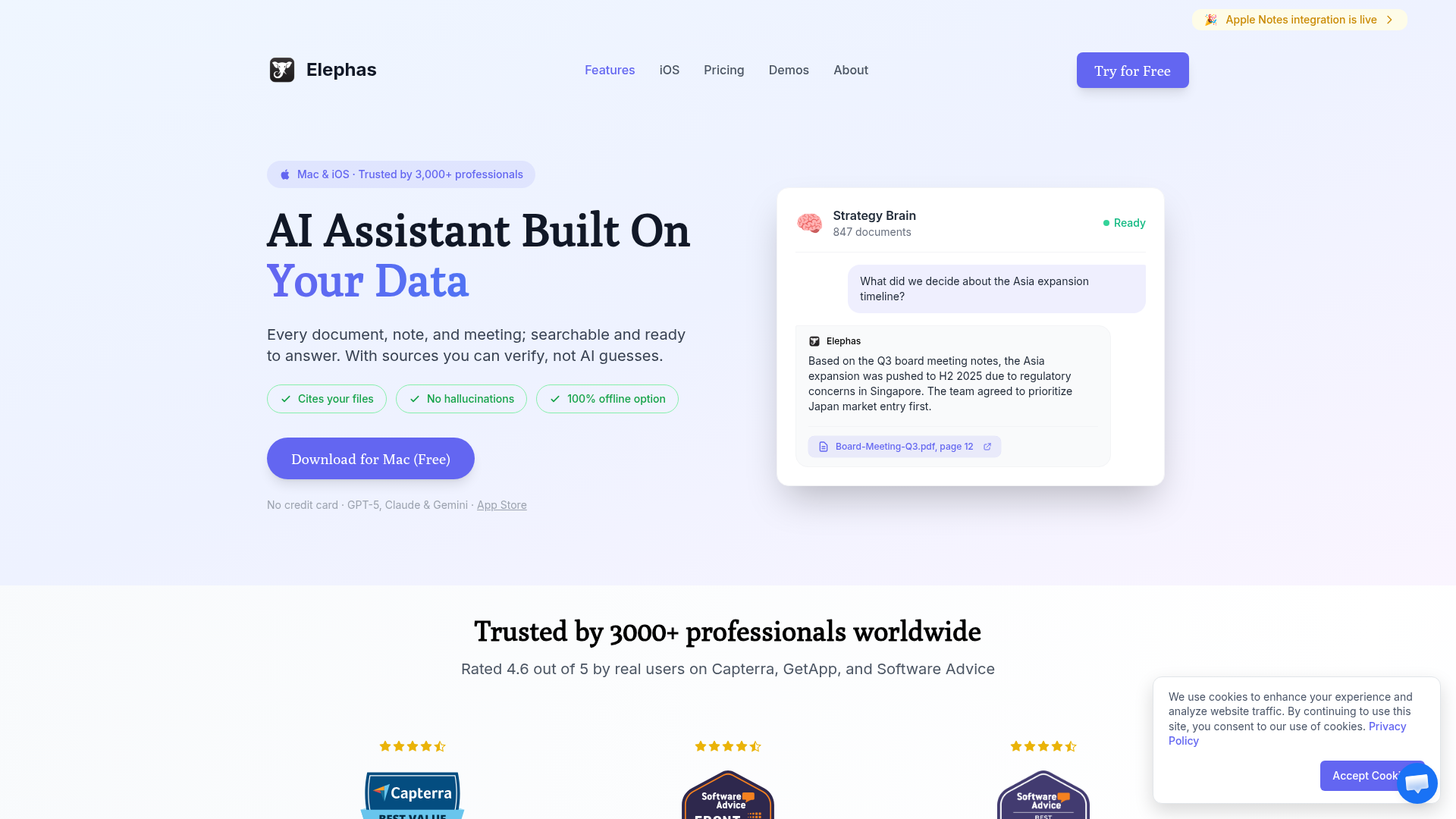
Elephas is a personal AI writing assistant designed specifically for Mac users. It creates a "Super Brain" from your documents, allowing you to chat with your knowledge base from anywhere on your Mac using a simple keyboard shortcut.
Key characteristics:
Native Mac app with system-wide ⌘+Space access
Integrates with Notion, Obsidian, Apple Notes, and web pages
AI-powered writing assistance in any text field
Answers cite your actual source documents
Multiple AI model support (GPT-4, Claude, local models)
What is NotebookLM?
NotebookLM (formerly Project Tailwind) is Google's experimental AI-powered research tool. It lets you upload documents and then have conversations with AI that's grounded exclusively in your uploaded content—no hallucinations from general training data.
Key characteristics:
Web-based interface accessible from any device
Audio Overview generates podcast-style summaries
Powered by Gemini (Google's latest AI)
Completely free with Google account
Strict grounding—only answers from your sources
Feature Comparison
Feature
Elephas
NotebookLM
Platform
Native Mac App
Web-based
System-Wide Access
✓
✗
Audio Podcasts
✗
✓
Writing Assistance
✓ Built-in
Limited
App Integrations
Notion, Obsidian, etc.
Google Docs, Drive
Offline Mode
✓ (local models)
✗
Free Tier
Limited trial
✓ Fully free
The Audio Overview Advantage
NotebookLM's killer feature is Audio Overview—it generates a natural-sounding podcast conversation between two AI hosts discussing your documents. This is incredible for consuming long research papers during commutes or workouts.
System-Wide Integration
Where Elephas shines is accessibility. Rather than switching to a browser tab, you can invoke Elephas from any app with a keyboard shortcut. Writing an email? Query your knowledge base. Drafting in Pages? Get AI assistance. This friction reduction makes a huge difference in daily productivity.
Pricing Comparison
Elephas
$9.99/month
✓ All features included
✓ Unlimited queries
→ $99 lifetime option available
NotebookLM
Free (Google account)
✓ All features free
✓ Unlimited notebooks
→ May have usage limits
Who Should Use Each Tool?
Choose Elephas If You...
Use a Mac as your primary computer
Want AI assistance available system-wide
Need writing help across different applications
Use Notion, Obsidian, or Apple Notes
Value privacy with local model options
Want a native app experience over browser tabs
Choose NotebookLM If You...
Need deep research and document analysis
Love the Audio Overview podcast feature
Want a completely free solution
Work across multiple devices/platforms
Already use Google Workspace heavily
Prioritize strict source grounding
🧠 Before You Decide: Consider This Complement
While NotebookLM optimize how you launch apps, there's a gap neither fills: managing the knowledge you accumulate across all your tools.
Elephas takes a different approach — instead of launching apps, it creates an AI-powered "Super Brain" from your documents. Every answer cites YOUR files, not internet guesses. It's the perfect complement to whichever launcher you choose.
⚡
System-Wide Access
⌘+Space from any app to query your knowledge base.
📎
Cites Your Sources
Every answer links to the actual document. No hallucinations.
🔗
Syncs Your Apps
Connects to Notion, Obsidian, Apple Notes automatically.
Best for:Knowledge workers managing multiple projectsUsers who want AI that knows their context
Best for daily productivity. System-wide access. Native Mac integration. Writing assistance anywhere.
WINNER FOR RESEARCHERS
NotebookLM
Best for research projects. Audio Overview feature. Completely free. Strict source grounding.
For Mac users focused on daily productivity, Elephas is the clear winner. Its system-wide availability means AI assistance is always one shortcut away, whether you're writing emails, taking notes, or drafting documents.
For researchers and students, NotebookLM offers unmatched document analysis capabilities—and the Audio Overview feature is genuinely revolutionary for consuming dense material.
The best part? These tools complement each other. Use NotebookLM for deep research sessions, then bring those insights into Elephas for day-to-day writing and reference.
Frequently Asked Questions
Is Elephas better than NotebookLM?
It depends on your use case. Elephas is better for Mac users who want system-wide AI access and writing assistance. NotebookLM excels at deep research and document analysis with its unique Audio Overview feature.
Can I use Elephas offline?
Yes, Elephas supports local AI models for offline use. NotebookLM requires an internet connection as it's entirely web-based.
Is NotebookLM really free?
Yes, NotebookLM is completely free with a Google account. Google may introduce paid tiers in the future, but currently all features including Audio Overview are free.
Can I use both tools together?
Absolutely! Many users use NotebookLM for dedicated research sessions and Elephas for daily productivity. They solve different problems and complement each other well.